









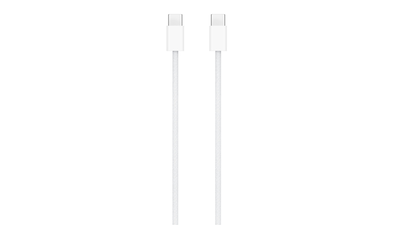
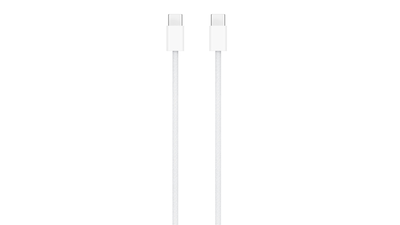
There is a drawer in most homes now that holds eight or nine cables with the same oval plug on the end, and no way of telling which one is which. One of them charges a laptop. One transfers at speeds that feel like punishment. One came free with a pair of earbuds and does almost nothing beyond keeping them alive. They are physically identical, they all fit every port in the house, and the only difference between them is invisible.That is the whole USB4 versus USB-C problem in one image. USB-C is the shape. USB4 is what the wires inside are allowed to do. The two words turn up on the same spec sheet constantly, often in the same line, which is why they get treated as versions of each other. They are not. A laptop advertising “USB-C ports” has told you nothing about speed, video output or charging. A laptop advertising USB4 has committed to something specific.
The difference between USB4 and USB-C is simple: one is a shape, the other is a set of rules
USB-C arrived in 2014 as a physical redesign. Twenty-four pins, reversible, small enough for a phone and sturdy enough for a workstation. It solved the flipping problem and nothing else. Speed, video and power delivery were all left to whatever protocol the manufacturer decided to run over those pins, which could be anything from USB 2.0 at 480Mbps upward.USB4 is that protocol. The USB Implementers Forum published it in 2019, built on a Thunderbolt 3 specification Intel donated to the group. The number people quote is 40Gbps, but the more useful change is tunnelling. USB4 carries DisplayPort and PCIe traffic alongside ordinary data, and reallocates bandwidth on the fly depending on whether you are copying a file or pushing pixels to a monitor. That is what makes single-cable docking work at all. One connection to a dock and the laptop picks up displays, storage, ethernet and up to 100W of charging, with the Extended Power Range spec reaching 240W on hardware that supports it.
Is USB-C the same as USB4? Every USB4 cable is USB-C, but almost no USB-C cable is USB4
Worth sitting with, because it explains most of the confusion. The relationship runs one way. USB4 requires the USB-C connector, so every USB4 cable ends in one. USB-C requires nothing in return, so the majority of USB-C cables in circulation are running much older standards underneath.The chain runs at the speed of its slowest link, and there are three links. Plug a 40Gbps SSD into a USB 3.2 Gen 2 port and you get 10Gbps. Plug that same SSD into a proper USB4 port using a cable that came free in a phone box, and you may get 480Mbps, because the cable is the bottleneck and nothing on screen will tell you so. Files will still copy. They will just take an amount of time that makes no sense given what you paid for the drive.
How to tell if your laptop has USB4, because the port almost never says so
Naming has not helped. USB 3.0 became USB 3.1 Gen 1, then USB 3.2 Gen 1, three names for identical 5Gbps hardware. The USB-IF’s response has been to abandon generation numbers in consumer-facing marketing and push speed logos instead, so packaging now reads “USB 40Gbps” or “USB 80Gbps.” That is a real improvement, though it only applies to products certified after the change.On the hardware itself, look for a small USB4 marking beside the port, or a Thunderbolt lightning bolt, since Thunderbolt 4 and 5 ports also carry USB4. Plenty of laptops print nothing at all, in which case the spec sheet is the only honest source. Manufacturers also mix port types on the same machine, so the two ports on the left may run at 40Gbps while the one on the right handles 10Gbps and no video. Checking each port individually is tedious and occasionally necessary.
USB4 vs Thunderbolt 4 comes down to certification, not speed, since both stop at 40Gbps
The two are close enough that the distinction is mostly about guarantees. Thunderbolt 4 sets a floor: two 4K displays or one 8K, 32Gbps of PCIe bandwidth for storage, mandatory charging support on at least one port. USB4 makes several of those optional, which means one USB4 laptop can drive dual monitors and an external GPU while another handles a single display and refuses the eGPU entirely. Both are correctly labelled.Above that sits USB4 Version 2.0, ratified in 2022 and now on flagship laptops, which doubles throughput to 80Gbps and can run asymmetrically at 120Gbps in one direction for high-refresh displays. Thunderbolt 5 matches it with stricter certification. Whether any of this registers depends entirely on what you connect. For someone editing 4K footage off an external drive, 40Gbps against 10Gbps is the difference between a short wait and a coffee break. For a wired mouse, a keyboard and a printer, it is theoretical.
USB4 cable length is the spec nobody reads and the one that quietly ruins setups
Passive USB4 cables hold full speed only over short runs, roughly 0.8 metres per the specification, which is why certified ones are conspicuously stubby. Longer passive cables drop to half rate. Active cables carry signal-conditioning chips that maintain throughput over greater distances, but they cost more and are less reliably backward compatible with ordinary USB-C peripherals.Power ratings vary independently of all this. A cable can pass 40Gbps and still refuse to charge a laptop, because the wattage it supports is a separate line on a spec sheet most listings never bother to include. In India, a certified 40Gbps cable from a known brand generally runs between Rs 1,500 and Rs 4,000 against a few hundred rupees for an unmarked one. The cheap cable is not fake so much as unspecified, and unspecified is the problem. If a listing states neither a data rate nor a wattage, assume the worst of both.
USB4 vs USB-C : Which one to buy, and which one do you really need
There is no choosing between them, which is the first thing to settle. Buy a USB4 cable and you get USB-C by definition. The actual decision is whether the USB4 premium buys you anything.If you run a dock, an external SSD, an eGPU or a second monitor off your laptop, it does, and the appeal of USB4 is that you stop having to think about any of this. Compliant devices at both ends will negotiate the fastest speeds they support without intervention, and the cable still charges older USB-C hardware because backward compatibility is built in.If all you do is charge a phone and plug in a mouse, it does not. A dedicated 100W power delivery cable running USB 2.0 sells for Rs 400 to Rs 900 and will charge exactly as fast as the Rs 4,000 one, because charging wattage and data throughput are separate specifications that happen to share a plug. Most people need one good USB4 cable for the desk and cheap PD cables everywhere else. Buying the expensive one four times over is the common mistake, and it costs more than the cable that actually needed replacing.Which brings it back to the drawer. It was never lying. It simply never said anything, and neither did most of the people selling the contents. Sort it once, put tape on the fast ones, and the question stops coming up.