







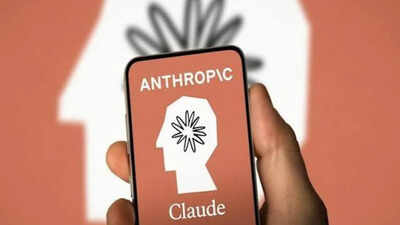
Anthropic is giving managers more visibility into workplace Claude usage. Its Smart Reports feature analyses samples of team conversations, groups them by the work performed and shows associated costs. Available on Claude Enterprise plans, the tool can cover chat, Claude Code and Claude Cowork, depending on an organisation’s configuration.“Smart reports analyze how a team uses Claude and report on the work getting done, what it costs at list price, where sessions run into friction, and which repeated patterns are worth packaging as shared skills,” Anthropic wrote in a blog post.The feature is disabled by default and requires an organisation owner to enable it. Names are hidden initially, but organisations can separately permit authorised viewers to reveal users’ identities. Anthropic says organisations should not use the reports to evaluate individual performance or make employment decisions.
Who can enable the feature
Each eligible organisation can generate up to 10 reports monthly at no charge. Reports usually take a few hours to produce. Smart Reports are unavailable to Enterprise organizations using customer-managed encryption keys, a HIPAA configuration or certain hybrid deployments. Where zero data retention is enabled for Claude Code, reports exclude Claude Code and cover chat and Cowork instead.
What can managers see in Smart Reports
Authorised users can select a team, products and a reporting period covering up to the previous 28 days. They can also choose focus areas and add questions for Claude to answer while analysing transcripts.Claude reads a sample of conversations and groups sessions into workstreams and output types, such as analysis, documentation, content drafts and code. Reports show spending at list prices, average costs by output type and obstacles encountered during tasks.Viewers can open a workstream to see sessions ranked by cost. Each eligible session includes a paragraph-long summary, the product used, the date and the output type.Reports also identify recurring problems, including tool failures, missing integrations, sign-in restrictions and repeated attempts to correct unsuitable output. Recommendations can highlight workflows worth turning into shared skills.
Team reports can identify individual employees
Anthropic provides a separate “Allow attribution to individual users” setting, which is also off by default. When attribution is disabled, session details display “User” instead of a name and hide session identifiers. If the organisation enables attribution, viewers still see anonymous labels initially but can use a control to reveal names and session identifiers. Each reveal is logged.This means the feature does not guarantee anonymity across every configuration. Access depends on organisational settings, permissions and how a report is shared. Owners and administrators with analytics access can create reports. Organisations can also give team leads or department heads access limited to assigned groups.
Privacy restrictions mentioned by Anthropic
The documentation lists mandatory safeguards for sensitive subjects, including health, protected characteristics, union activity, harassment complaints, whistleblowing, political or religious views and personal matters.Custom questions about restricted topics are blocked. Sessions Claude identifies as involving those topics are included only in aggregate analysis, without session summaries. Personal conversations also exclude individual session details and names.These protections depend on Claude identifying the relevant content. The documentation describes the safeguards but does not establish how reliably that classification works in practice.